3D motion design with an AI that shows its work.

Real light, real materials, and an AI assistant that speaks the app's language. Make brand promos, app walkthroughs, product videos and interactive web scenes at-scale, with every layer and keyframe entirely editable with industry-leading creative control.
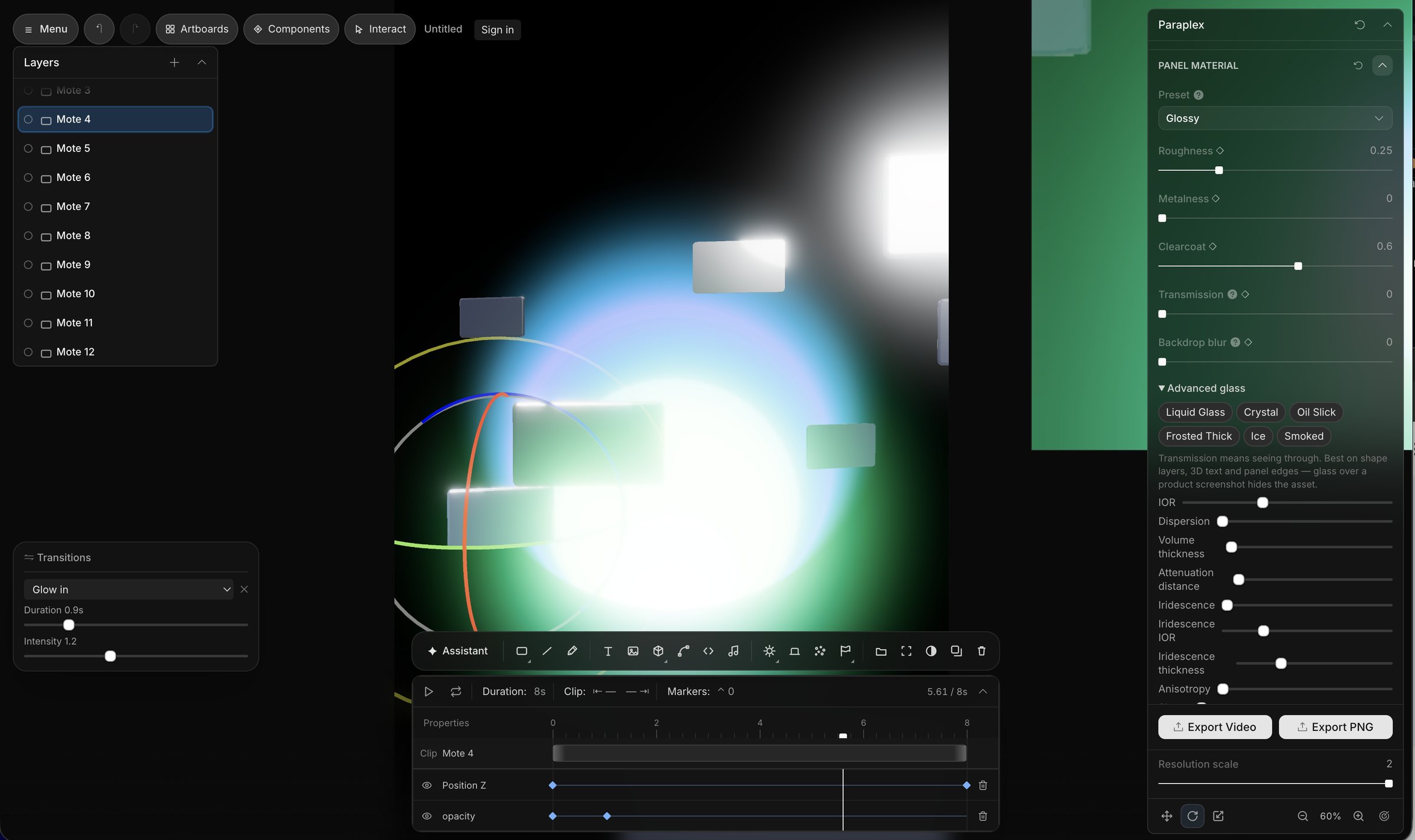
The Paraplex editor: glossy panels glowing in a scene, with the material panel open

Production-ready motion design in seconds.

Every panel, light, camera and shader in Paraplex is a real object in a real space. Move the camera and the reflections move with it. Anything you can see, you can edit and animate it. Even AI-generated scenes are fully editable in Paraplex.

Materials, light, & physics that behave like real life.

Glass, chrome, clay, frosted and smoked. Roughness, clearcoat, transmission, IOR, dispersion, iridescence. Make things draggable, add fluid simulations and smoke emitters, so you can build stunning 3D visuals with realistic physics for your web projects.
Liquid Glass
Crystal
Oil Slick
Frosted Thick
Ice
Smoked
Emit light
Light sweep
Interactions
Physics
Emitters
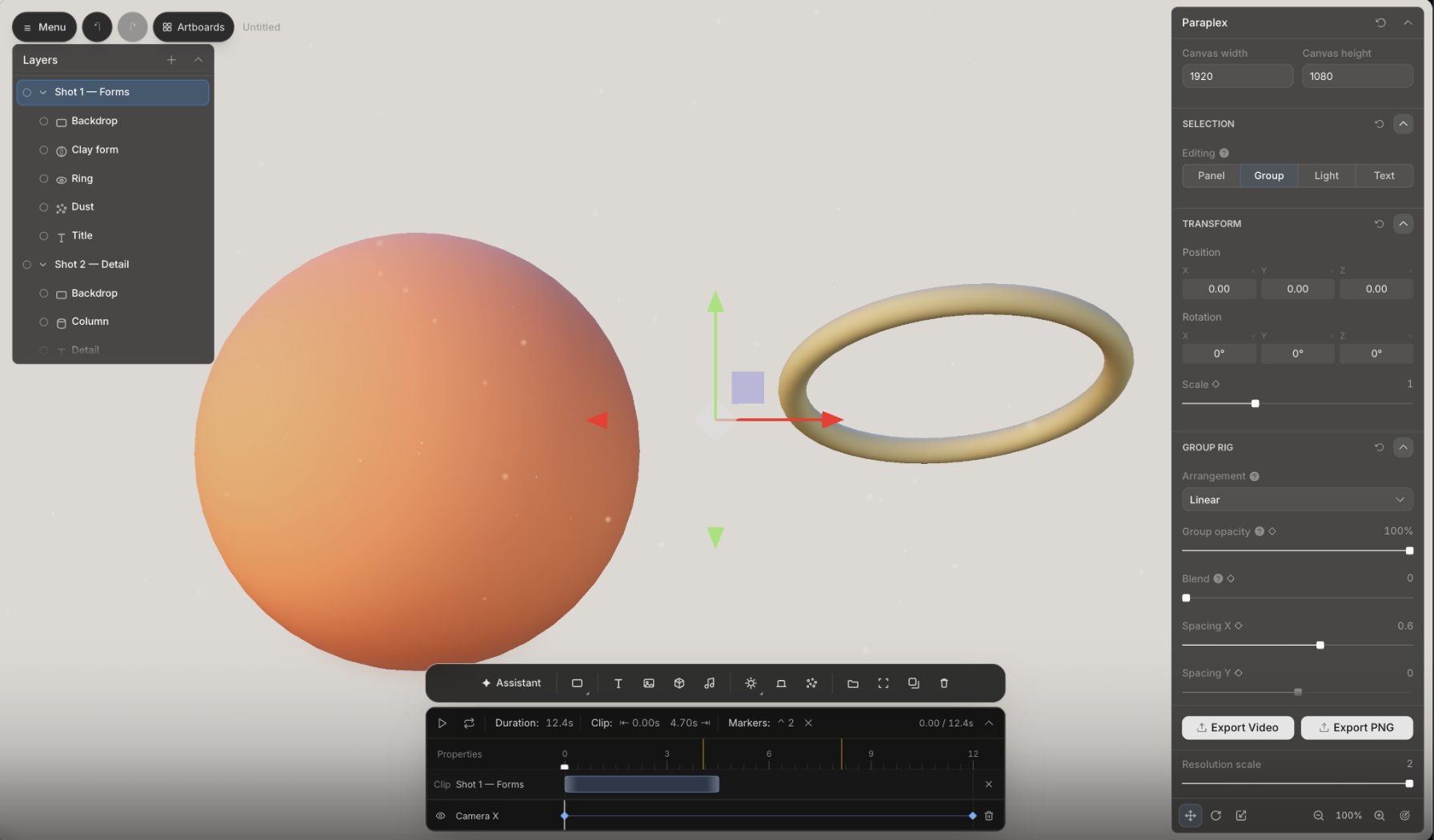
A clay sphere and a ring lit by a soft studio environment, with the group rig panel open
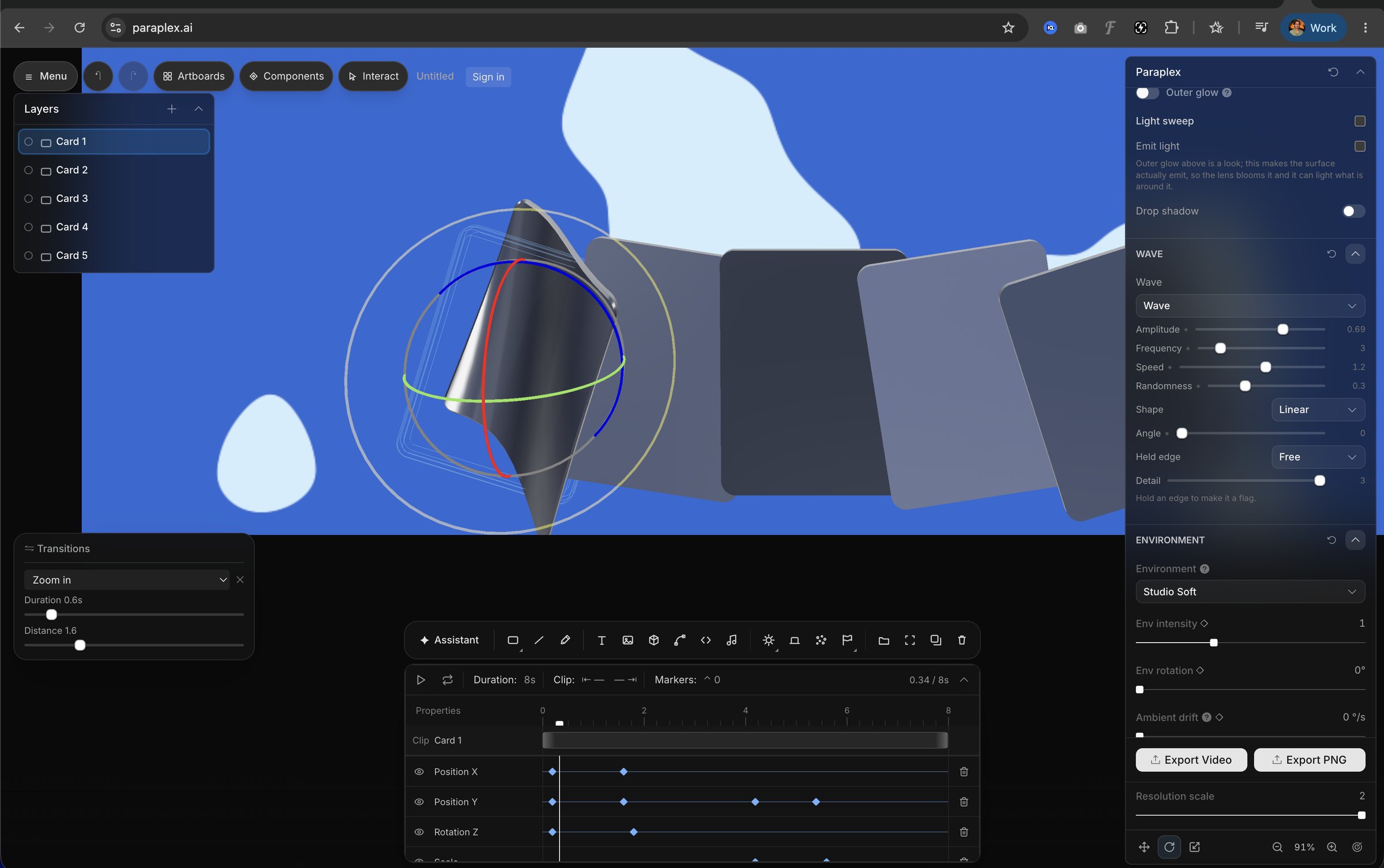
A chrome card bending like cloth in the wave effect, with amplitude, frequency and held-edge controls
Lighting rigs
Spot, point and ambient lights, three-point presets, and HDR environments like Studio Soft, with intensity, rotation and drift you can animate.
Physics
Cloth with weight, resistance and gravity. Hold an edge to make it a flag. Fluid and smoke when the scene wants atmosphere.
Adjustment layers
Scene-wide contrast, saturation and tint. Gradient overlays with animatable stops, film grain, light leaks, burn, dust and scratches.
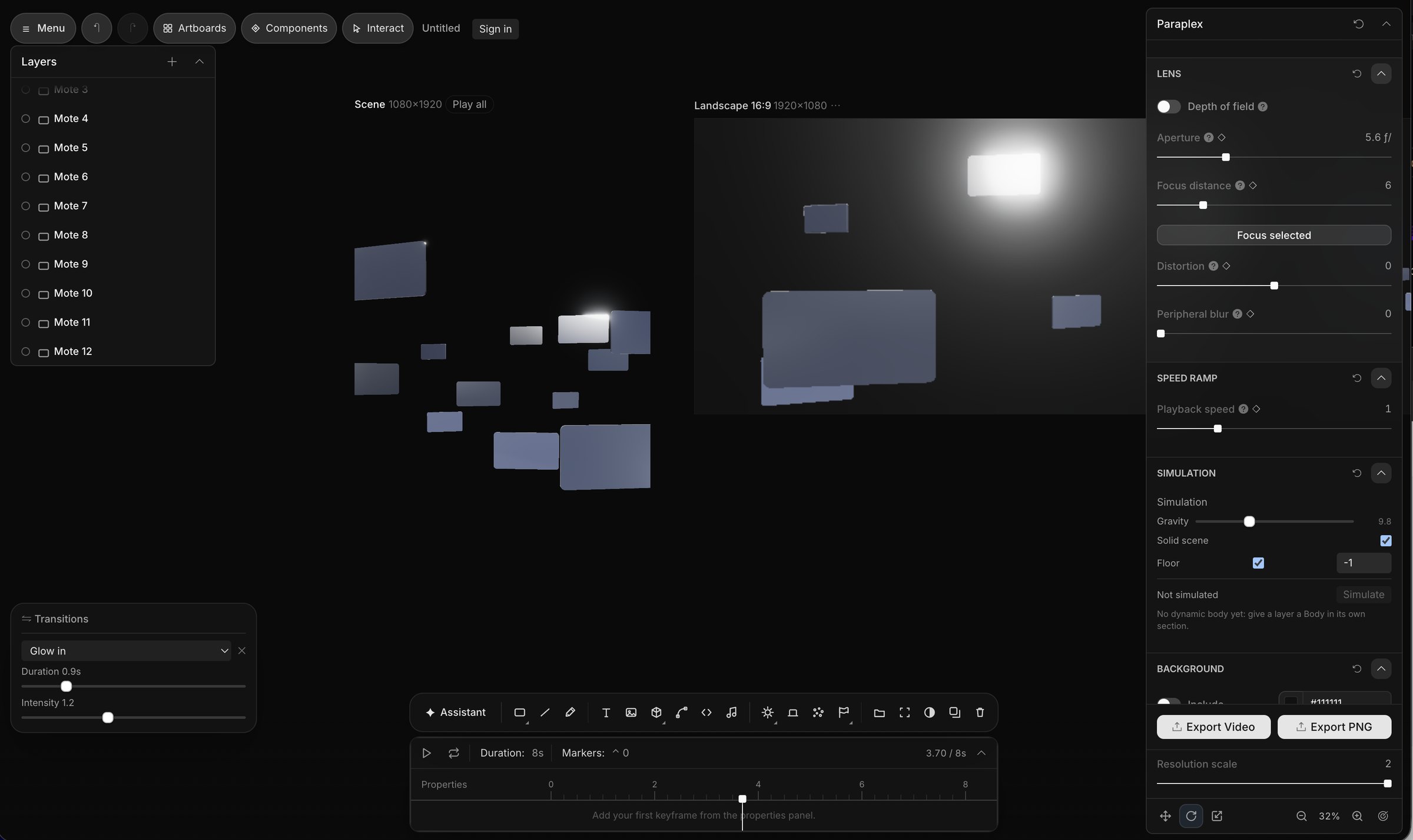
The lens panel: depth of field, aperture, focus distance, distortion and speed ramp controls beside a scene of floating panels

Advanced camera settings. Built for multi-disciplinary creatives.

Depth of field with a real aperture and focus distance, or click a layer and focus on it. Lens distortion, peripheral blur, speed ramps. A lens pass can even be a shader you wrote yourself.

Aperture
Real f-stops, keyframeable
Focus
By distance, or Focus selected
Speed ramp
Keyframe playback speed itself
Simulation
Gravity, a floor and a solid scene

Work visually with shaders & custom code.

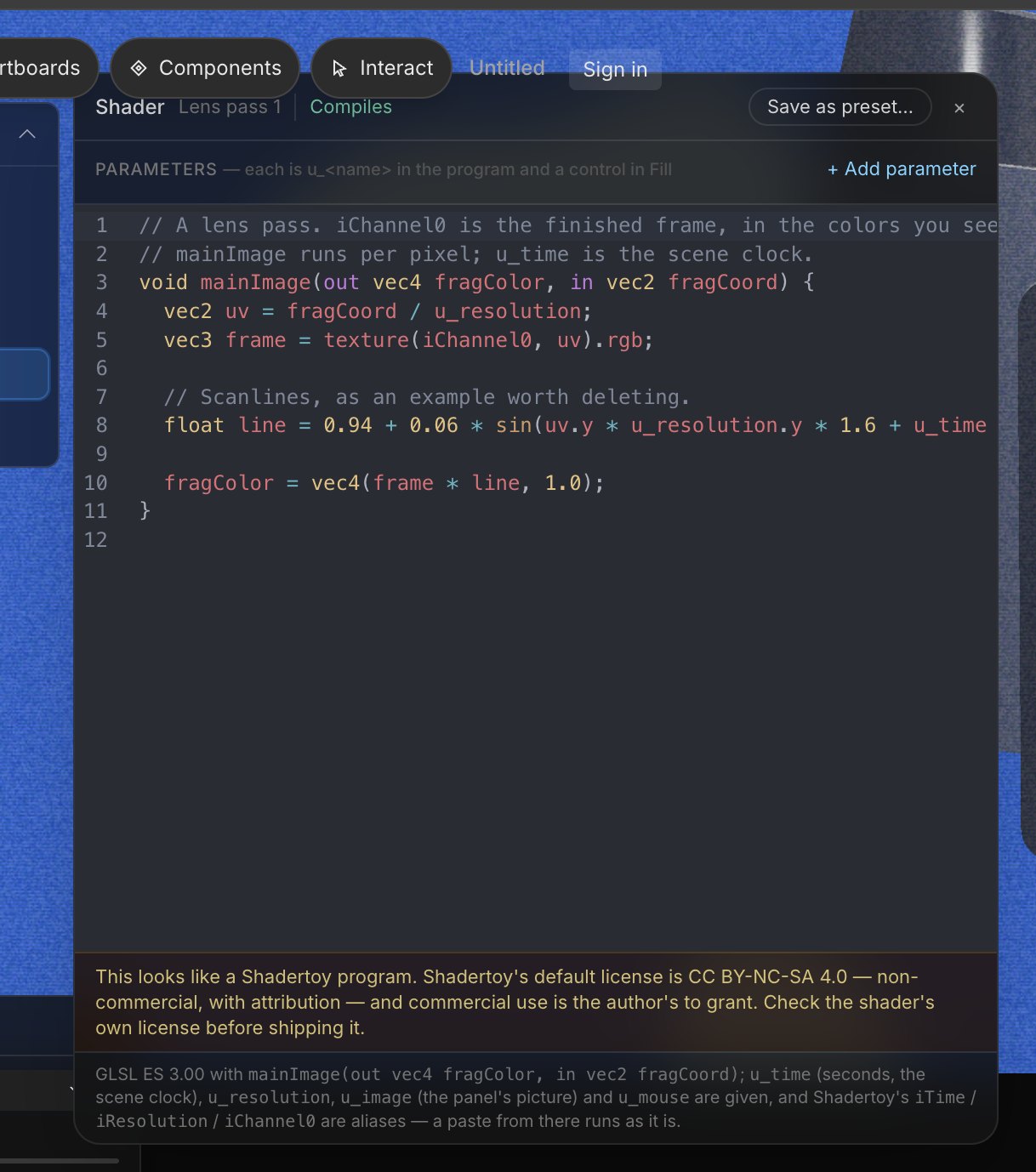
Pick a background or panel shader, add your colors, drag the sliders. Or paste a program: Shadertoy code runs as it is, and every parameter you declare shows up as a control in the panel, where it can be keyframed like anything else.
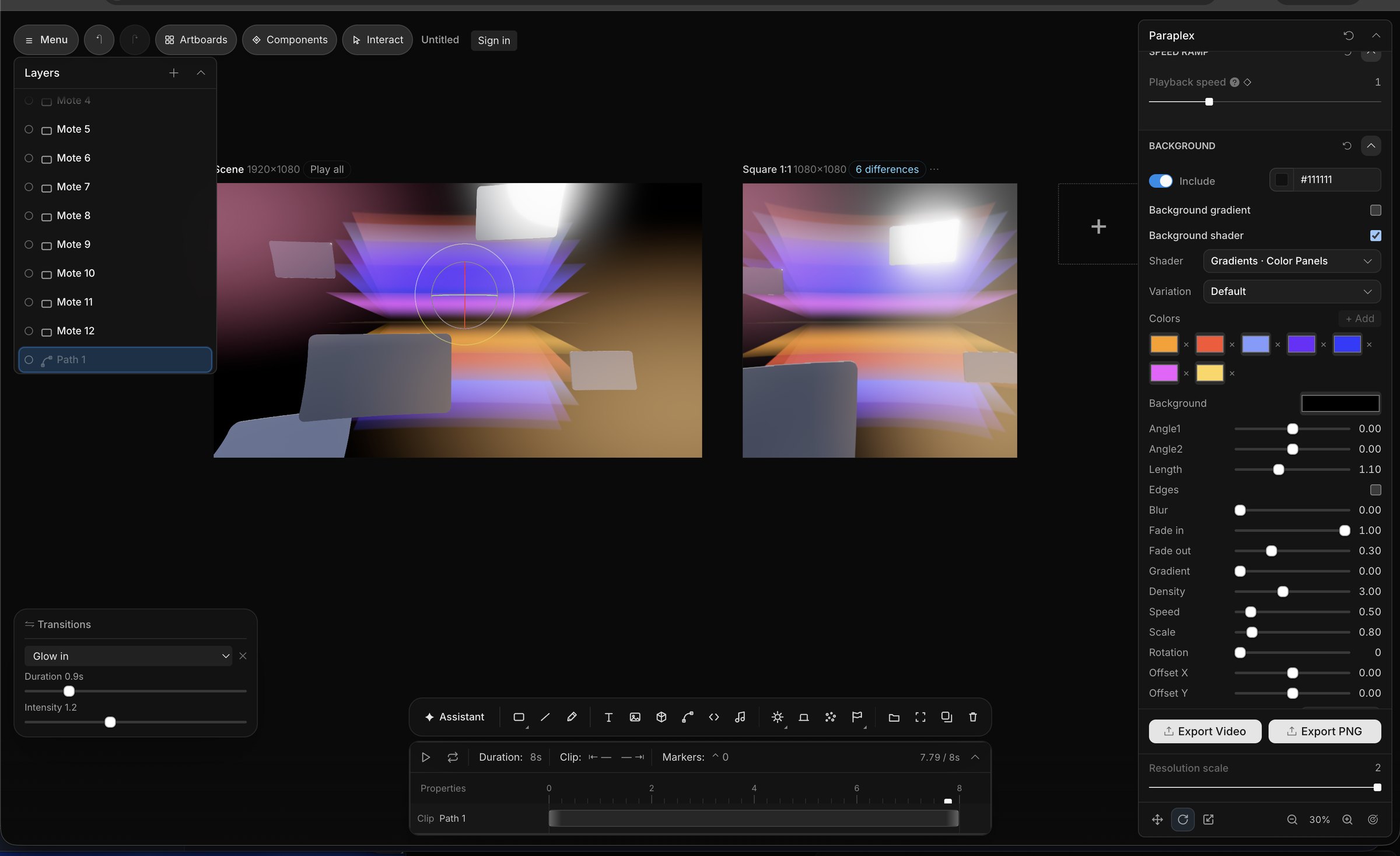
A gradient color-panels background shader with a seven-color palette and blur, density and speed controls
The shader editor with a GLSL lens pass and a note that Shadertoy programs run as-is

Paraplex ships with a free library of fluid, gradient, liquid-metal and noise shaders, plus an editor for your own GLSL. Stellar 3D materials, caustics, and effects built-in, with industry-leading creative control.

Most AI is a blackbox. Paraplex is a glassbox.

Describe the change. The assistant adds the layers, sets the keyframes, picks the materials and wires the lights inside your project, as ordinary objects you can select and edit. Nothing it makes is locked, flattened or rendered out. Everything is fully editable. Tweak, adjust, and customize to your heart's content.

Make a wide, short glass cylinder as a display stand near the bottom of the frame
Add a big bold number that counts from 0 to 128,400 over four seconds
Apply our design system to this template

Bring your own Anthropic API key. Skills teach it your house style and recurring shots.
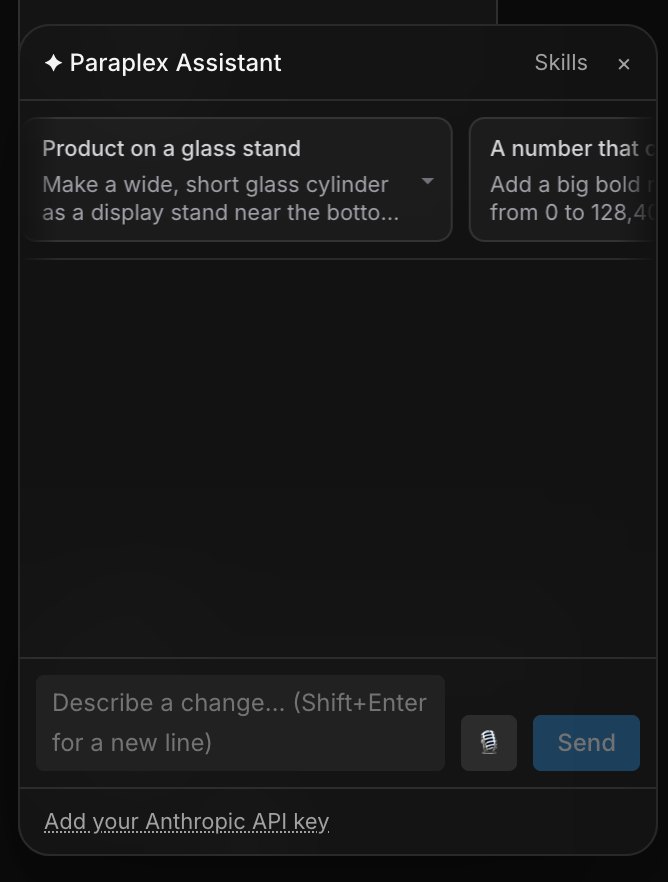
The Paraplex Assistant panel with suggested prompts and a message field

On brand, at scale.

Import a design-token file (Figma variables, Style Dictionary or DTCG) or save a system from any project. Its colors and text styles become swatches, and one click applies the whole system to a template. Drop in a CSV or JSON and Paraplex renders one video per row. Apply your design system to videos automatically, across countless data variants and artboard sizes.
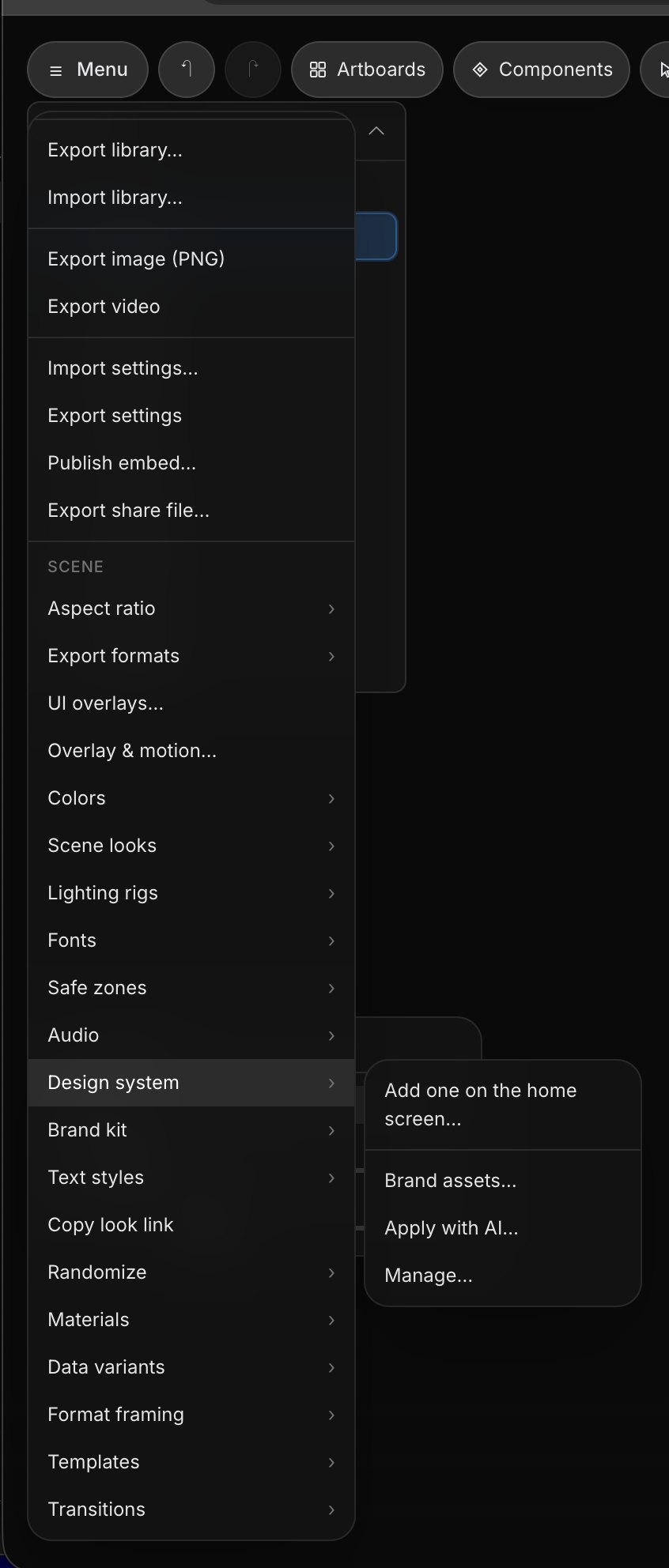
The scene menu with the Design system submenu open: add one on the home screen, brand assets, apply with AI, manage
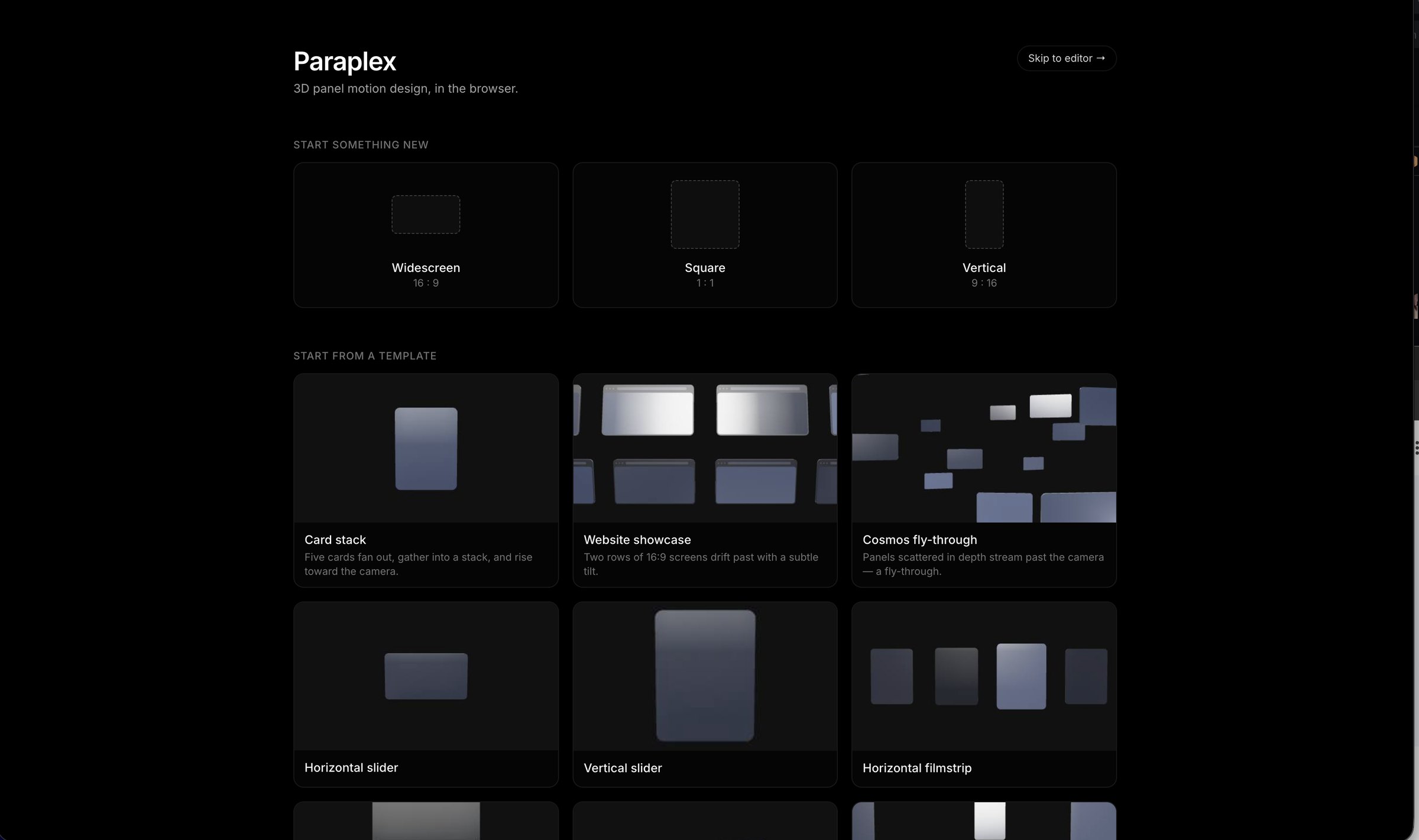
The Paraplex home screen: start a widescreen, square or vertical project, or start from a template
Design systems
Tokens, swatches, text styles and brand assets, kept with the project.
Data variants
A spreadsheet in, a set of on-brand videos out.
Copy look
Lift materials, colors, keyframes and lighting from one project onto another.

Build one scene. Export for every format.

Add artboards for 16:9, 1:1 and 9:16 and work on them side by side. Change the scene just once, each artboard keeps its own framing and tells you exactly what differs. Export them all at once. Production-ready videos formatted for each social media platform, in just one click.
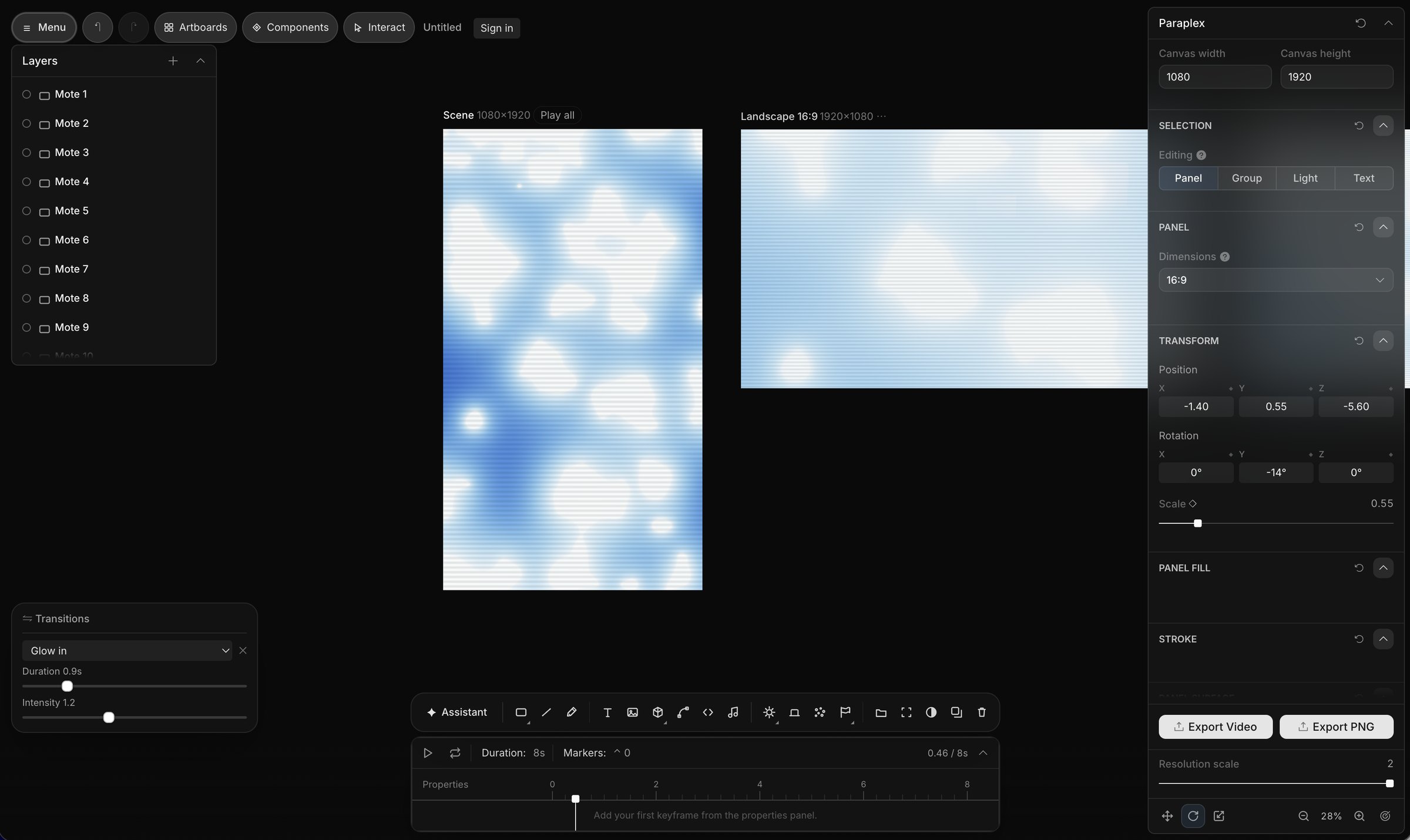
Two artboards of the same scene — a 9:16 vertical and a 16:9 landscape — rendered side by side

Type that moves.

Solid, gradient or a full material on the letters. Extrude to 3D. Drop in your own fonts. Pick a motion preset, or drop in a track and let the beats cut the words.

All of the features & tools you're used to working with.

Pen, shapes, lines, layers, keyframes: your years of muscle memory in Figma and Photoshop carry over. The difference is that every shape you draw can become a 3D object with a material on it, and you can ship sophisticated interactive scenes optimized for web in just a few clicks. Consumer-friendly pricing. Robust free tier. A far cry from the bloated subscription models we've grown accustomed to.

Figma
Framer
Webflow
Photoshop
Illustrator
After Effects
Premiere Pro
Jitter
Spline
Rive
Figma
Framer
Webflow
Photoshop
Illustrator
After Effects
Premiere Pro
Jitter
Spline
Rive
Pen
Bézier paths you can extrude, stroke with a gradient, or use as a motion path.
Shapes
Rectangle, circle, triangle, polygon — each one a 3D object with extrusion, bevel and material.
Lines & connectors
Width, dashes, curves, gradient strokes. Connectors stay pinned to the objects they join.
Lights
Spot, point, ambient and three-point rigs. Any surface can emit light of its own.
Images & SVG
Vectors stay editable in the app and extrude into 3D. Screenshots land on panels.
3D models
Import yours, or describe one and have it generated — then light and animate it here.
Audio
Drop in a track. Beats become markers, so kinetic and stomp type cuts on time.
Particles
Starfields, orbits, grids and arrays. Multiple colors, every property animatable, data-driven when you need it.
Physics
Cloth, fluid and smoke simulations with weight, resistance, gravity and speed.
Effects
Emit light, light sweep and wave — on shapes, text, particles or a whole model.
Adjustment layers
Contrast, saturation, tint and brightness for the whole scene. Grain, leaks and overlays on top.
Transitions
Scene-level fades, scales and cuts to black or white. Layer-level presets like glow in and zoom in.
Components
Make any group reusable — a card, a callout, a whole dashboard — and adjust each instance.
Copy look
Carry a project's materials, colors, keyframes and lighting into the next one.
Custom code
Paste any HTML. Paraplex finds its attributes and exposes them as controls in the panel.
Interactions
Scroll, drag, hover and click behaviours you can preview here and ship as a live scene.

Built for the web. Ships to the web.


A Paraplex scene doesn't have to become a video. It can drop into a page as a live, interactive embed, and any web component can be imported in the Paraplex editor. Preview custom code directly in the editor. Add interactions and web-native animations.
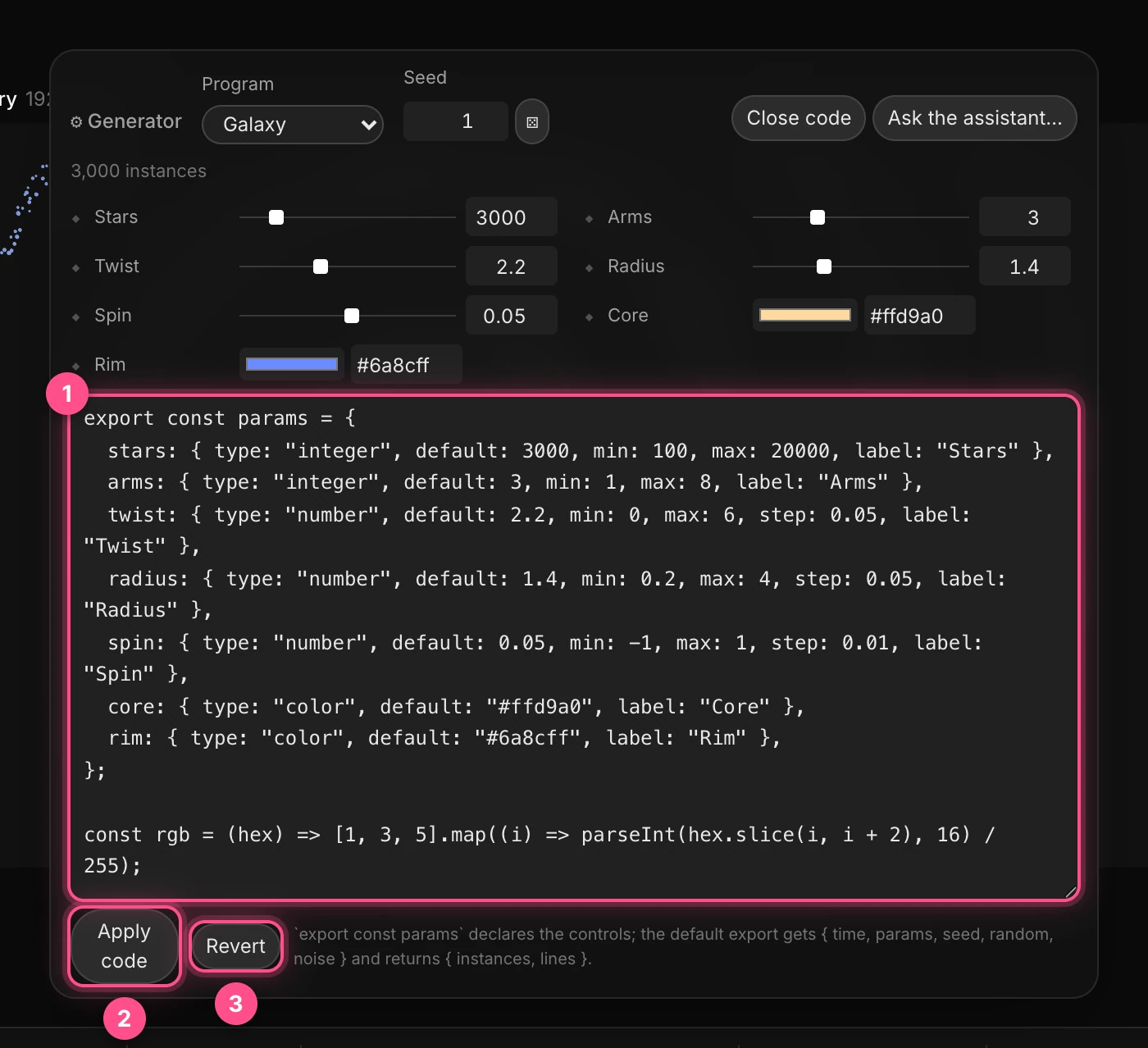
User interface for a Galaxy generator program in the Paraplex app showing sliders and input fields for parameters such as stars (3000), arms (3), twist (2.2), radius (1.4), and spin (0.05), and color pickers for core (#ffd9a0) and rim (#6a8cff). Below, JavaScript code exports an object defining these parameters with their types, defaults, ranges, and labels. Two buttons labeled 'Apply code' and 'Revert' are below the code box. A UI panel with custom code elements for an interactive HTML embed.

Drop in any HTML.

From 21st.dev, your own repo, a Claude Code chat - anything. It previews in the Paraplex editor real time, and the attributes inside the code become sliders and swatches next to everything else. Fully editable in Paraplex.
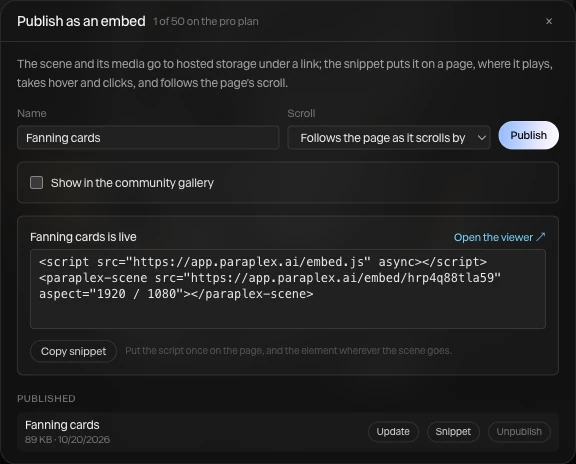
A Publish as an embed interface showing options for embedding a scene named 'Fanning cards' with scroll behavior set to follow the page as it scrolls, a Publish button, a checkbox to show in the community gallery, and a live script snippet for embedding from paraplex.ai, with buttons for copying snippet, updating, and unpublishing the scene. Displaying the ability to export a 3D motion design scene as an interactive HTML embed for web, from the Paraplex app.

Export an embed.

One click gives you an HTML embed for your site. Works in Webflow, Framer, or anywhere you can paste an embed block.
Webflow
Framer
HTML
Any site

An animated looping video showcasing a 3D rendering scene with gradient abstract shapes and a mouse cursor hovering over it, revealing a different image in the background in the path of the cursor, using WebGL animation image effects.A looping animated video showing a webpage with an HTML embed on it that is being interacted with via the user's scrolling behavior, resulting in a stack of cards animating outward, showcasing scroll-driven parallax animations created in the Paraplex app and exported as live, interactive HTML code for web, made in a visual editor with drag-and-drop UI.

Make it interactive.

Scroll-driven camera moves, draggable objects, hover and click states. Build it and preview it with the Interact tool before you publish.

Start from a template.

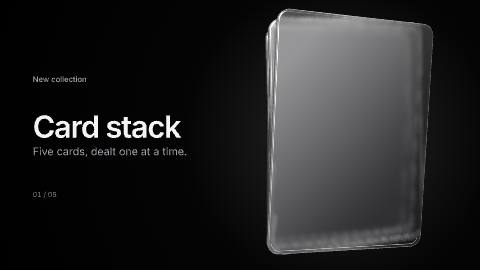
Choose from 70+ free templates, each one is a full 3D project complete with scenes, keyframes, lighting and all. Open it, swap in your content, apply your design system, and make it yours in seconds. Professional-grade templates for product launch videos, showreels, brand promo, social media content, and more. Inspired by real award-winning examples, 100% editable in Paraplex.

Or open a finished piece and take it apart.

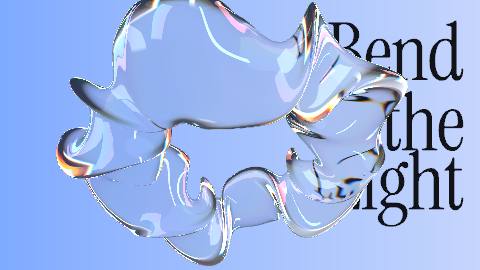
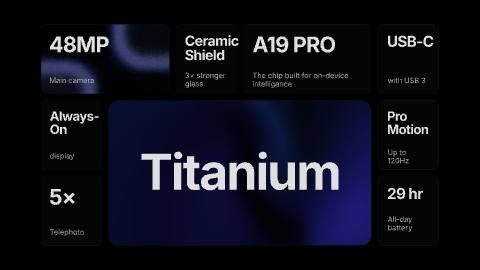
The showcase is a set of complete compositions, each completely editable: every light, camera move and material, easily fine-tuned in the visual editor interface.
Start free. Go Pro when you're ready.

The Paraplex Free tier gives you access to the whole editor and unlimited 1080p exports, with no watermark. Upgrade to Pro to unlock 4K and 60 fps, batch export, professional-grade path-traced renders and 1,500 AI credits a month. $19 a month billed yearly.

See pricing

Build with Paraplex.

No install. No account required. Just pick a format and start editing.

Open Paraplex